AI Assistant
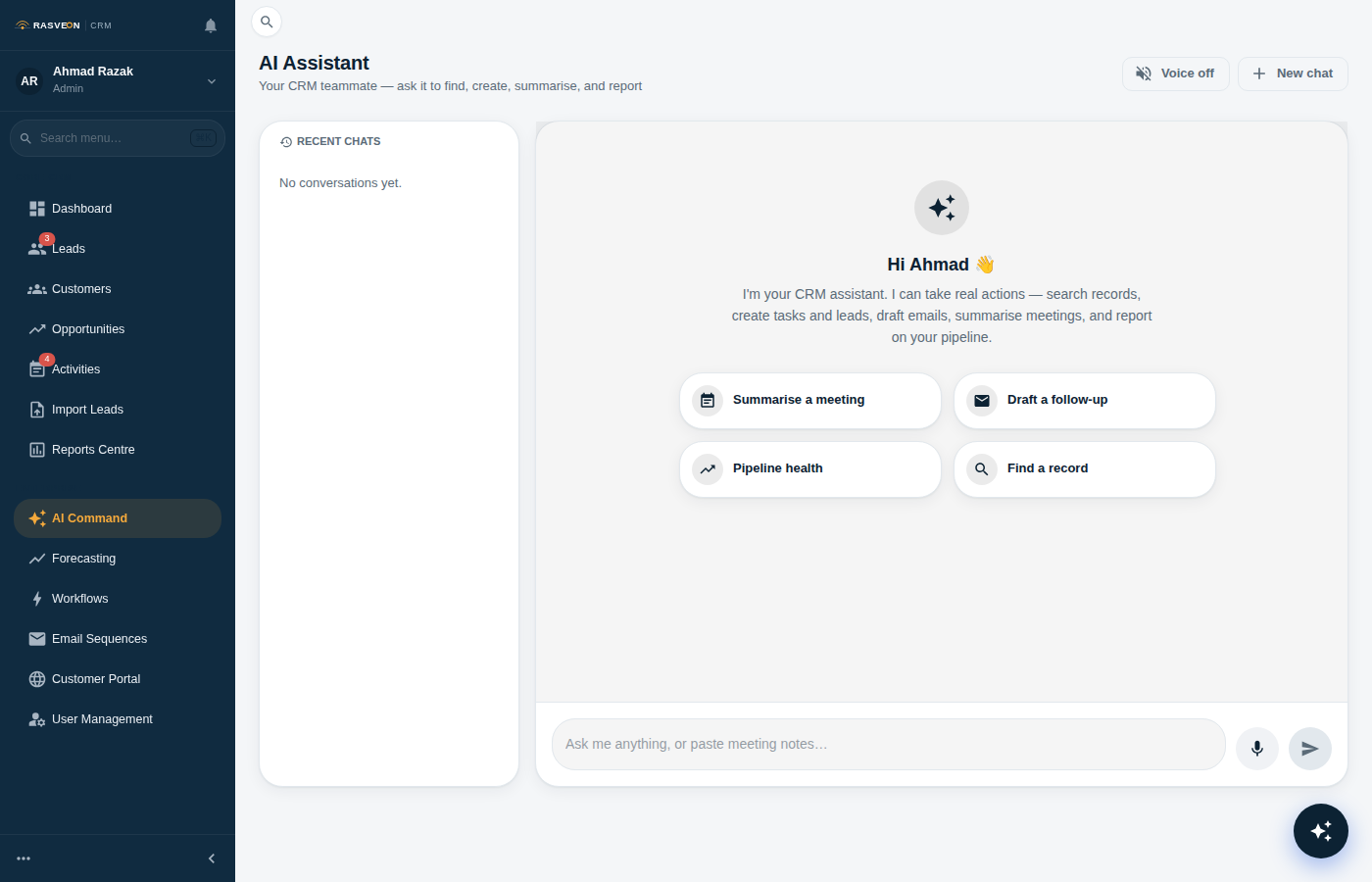
The AI assistant in Rasveon is a universal interface to the CRM. Anything you can do by clicking, you can ask the AI to do instead. It uses the same permissions and validation as the UI — it doesn't sneak around your rules.
Two ways to open it
- Floating widget — the amber circle at the bottom-right of every page. Click to open a chat panel. It stays with you as you navigate.
- Command centre — press
Ctrl + Space(Windows/Linux) or⌘ + Space(Mac) from anywhere. Full-page conversation view with history.
You can also open it hands-free on the mobile app — see Voice Control.
What it can do — 18 skills
The AI has 18 specific skills, grouped by what they act on:
Finding things
| Ask it… | Skill |
|---|---|
| "Find leads from Puteri Locksmiths" | search_crm |
| "Show me the Menara customer" | lookup_contact |
| "Pull up the Menara HQ deal" | get_lead_context / get_customer_context |
Creating things
| Ask it… | Skill |
|---|---|
| "Create a lead — Ahmad, ahmad@puteri.my, +60123456789" | create_lead |
| "Add Puteri Locksmiths as a customer" | create_customer |
| "Remind me to call Ahmad on Friday" | create_task |
Updating things
| Ask it… | Skill |
|---|---|
| "Change Ahmad's phone to 012-987 6543" | update_lead |
| "Move Ahmad to Qualified" | update_lead_status |
| "Move the Menara deal to Quote Sent" | update_deal_stage |
Reports & answers
| Ask it… | Skill |
|---|---|
| "What does my pipeline look like?" | get_pipeline_summary |
| "How many overdue tasks do I have?" | list_overdue_tasks |
| "How's my month going?" | get_my_stats |
| "How many customers do we have in Selangor?" | count_records |
Communication
| Ask it… | Skill |
|---|---|
| "Draft a follow-up email for Ahmad" | compose_email |
| "Log the meeting — visited Menara HQ, quoted for 14 doors" | log_meeting |
Account & billing
| Ask it… | Skill |
|---|---|
| "What plan am I on?" | get_my_subscription |
| "What do I get if I upgrade to Business?" | compare_plans |
How it decides what to do
You describe what you want in plain language. The AI figures out which skill to use, asks for anything missing (like a due date it can't infer), then runs the action and confirms.
Example conversation:
You: Create a lead — Ahmad from Puteri Locksmiths
AI: Got it. What's the best number to reach Ahmad? An email helps too.
You: ahmad@puteri.my, +60 12 345 6789
AI: Done — added Ahmad Zaki at Puteri Locksmiths. Want me to schedule a follow-up call?
Notice: the AI proactively asked for both email AND phone. That's deliberate — leads without contact details are useless leads.
It remembers you
The AI has semantic memory. It remembers:
- Preferences you've mentioned ("I always follow up two days after quotes")
- Context from earlier sessions ("last week you said Menara wanted PDF quotes not Word")
- People and companies you've talked about frequently
Memories are scoped to you within your workspace — nobody else in your team sees them, and other workspaces never see anything.
You can review and delete memories under Settings → AI → Memory (available on Professional plan and above).
What it will not do
- Bypass permissions. If you can't edit a colleague's lead by clicking, the AI won't do it either.
- Send emails on your behalf. It drafts. You send.
- Delete anything permanently. Delete requires a confirmation dialog in the UI.
- Reveal one workspace's data to another. Multi-tenant isolation is structural — the AI physically can't see across workspaces.
Your data stays private
The AI runs on private, self-hosted infrastructure — not a public API. Your leads, deals, meeting notes, and email drafts never leave Rasveon's network and are never used to train external models.
See Voice Control for hands-free use and Roles & Permissions for what each role can ask the AI to do.