AI 助手
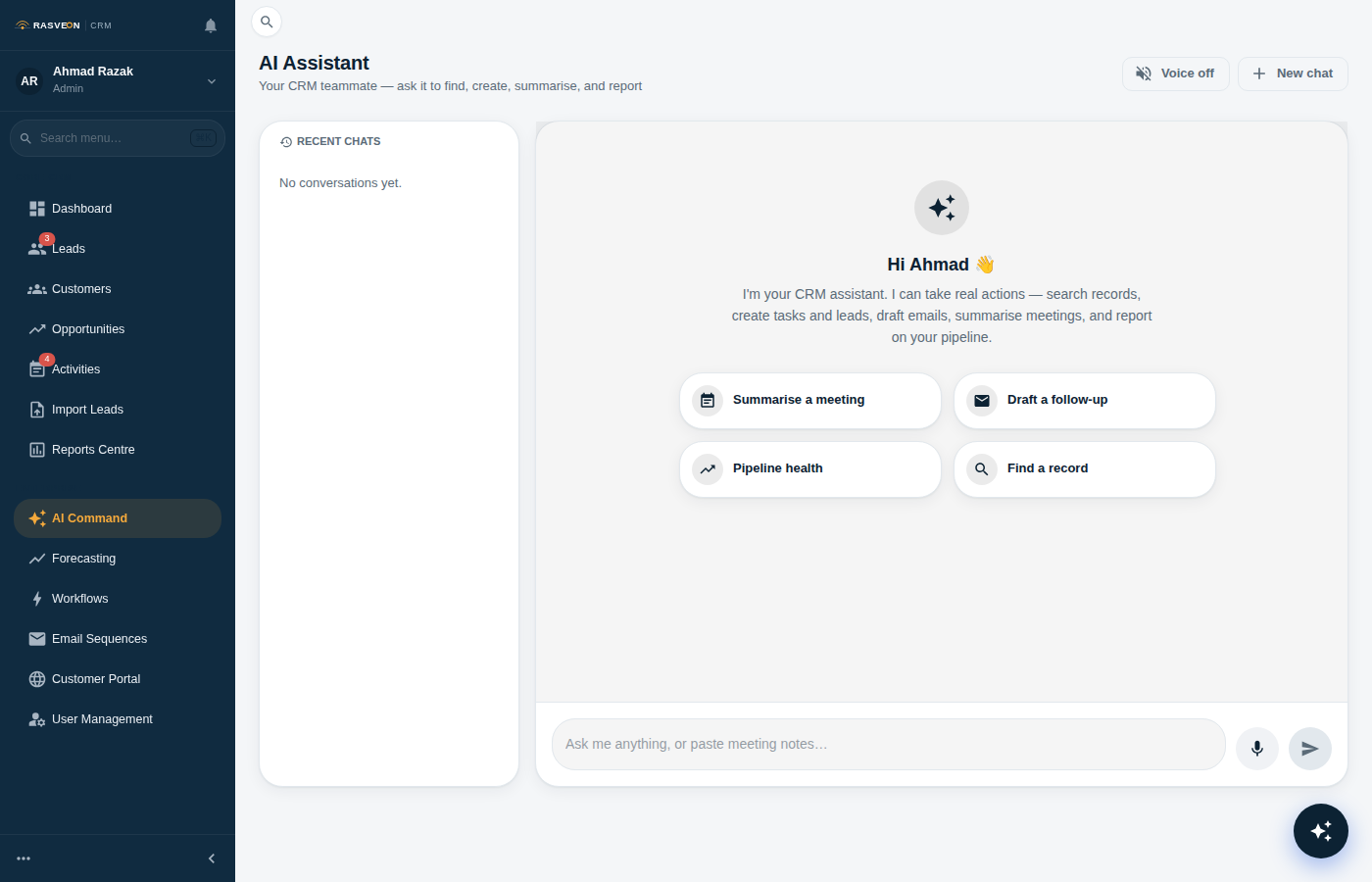
Rasveon 中的 AI 助手是 CRM 的通用界面。您可以通过点击执行的任何操作,都可以请求 AI 执行。它使用与 UI 相同的权限和验证 — 它不会绕过您的规则。
打开它的两种方式
- 浮动小部件 — 每页右下角的琥珀色圆圈。点击以打开聊天面板。当您导航时它会跟随您。
- 命令中心 — 从任何地方按
Ctrl + Space(Windows/Linux)或⌘ + Space(Mac)。带历史记录的全页对话视图。
您也可以在移动应用上免手操作 — 请参阅语音控制。
它能做什么 — 18 项技能
AI 有 18 项特定技能,按其作用对象分组:
查找事物
| 询问它… | 技能 |
|---|---|
| "查找 Puteri Locksmiths 的潜在客户" | search_crm |
| "显示 Menara 客户" | lookup_contact |
| "打开 Menara HQ 交易" | get_lead_context / get_customer_context |
创建事物
| 询问它… | 技能 |
|---|---|
| "创建潜在客户 — Ahmad,ahmad@puteri.my,+60123456789" | create_lead |
| "将 Puteri Locksmiths 添加为客户" | create_customer |
| "周五提醒我给 Ahmad 打电话" | create_task |
更新事物
| 询问它… | 技能 |
|---|---|
| "将 Ahmad 的电话更改为 012-987 6543" | update_lead |
| "将 Ahmad 移至已合格" | update_lead_status |
| "将 Menara 交易移至已发送报价" | update_deal_stage |
报告和答案
| 询问它… | 技能 |
|---|---|
| "我的管道是什么样的?" | get_pipeline_summary |
| "我有多少个逾期任务?" | list_overdue_tasks |
| "我这个月过得怎么样?" | get_my_stats |
| "我们在雪兰莪州有多少客户?" | count_records |
沟通
| 询问它… | 技能 |
|---|---|
| "为 Ahmad 起草跟进电子邮件" | compose_email |
| "记录会议 — 拜访了 Menara HQ,报价 14 门" | log_meeting |
账户和账单
| 询问它… | 技能 |
|---|---|
| "我在什么套餐?" | get_my_subscription |
| "如果我升级到 Business,我会得到什么?" | compare_plans |
它如何决定做什么
您用自然语言描述您想要什么。AI 找出要使用的技能,询问任何缺失的内容(如它无法推断的到期日),然后运行操作并确认。
示例对话:
您: 创建潜在客户 — Puteri Locksmiths 的 Ahmad
AI: 好的。联系 Ahmad 的最佳号码是什么?电子邮件也有帮助。
您: ahmad@puteri.my,+60 12 345 6789
AI: 完成 — 已添加 Puteri Locksmiths 的 Ahmad Zaki。要我安排跟进电话吗?
注意:AI 主动询问了电子邮件和电话。这是有意的 — 没有联系方式的潜在客户是无用的潜在客户。
它记住你
AI 有语义记忆。它记住:
- 您提到的偏好("我总是在报价后两天跟进")
- 上一次会话的上下文("上周您说 Menara 想要 PDF 报价而不是 Word")
- 您经常谈论的人和公司
记忆的范围是您在工作区内 — 团队中没有其他人看到,其他工作区从不看到任何内容。
您可以在 设置 → AI → 记忆(专业套餐及以上)下查看和删除记忆。
它不会做什么
- 绕过权限。 如果您通过点击无法编辑同事的潜在客户,AI 也不会。
- 代表您发送电子邮件。 它起草。您发送。
- 永久删除任何内容。 删除需要 UI 中的确认对话框。
- 将一个工作区的数据透露给另一个工作区。 多租户隔离是结构性的 — AI 物理上无法跨工作区查看。
您的数据保持私密
AI 在私有、自托管基础设施上运行 — 不是公共 API。您的潜在客户、交易、会议笔记和电子邮件草稿从未离开 Rasveon 的网络,也从未用于训练外部模型。