Gambaran Keseluruhan Produk
Halaman ini adalah lawatan lima minit bagi keseluruhan produk. Jika anda tidak pernah membuka Rasveon sebelum ini, baca ini dahulu.
Skrin utama
Apabila anda log masuk, anda mendarat di Papan Pemuka. Dari situ, bar sisi kiri memberi anda akses kepada segala-galanya:
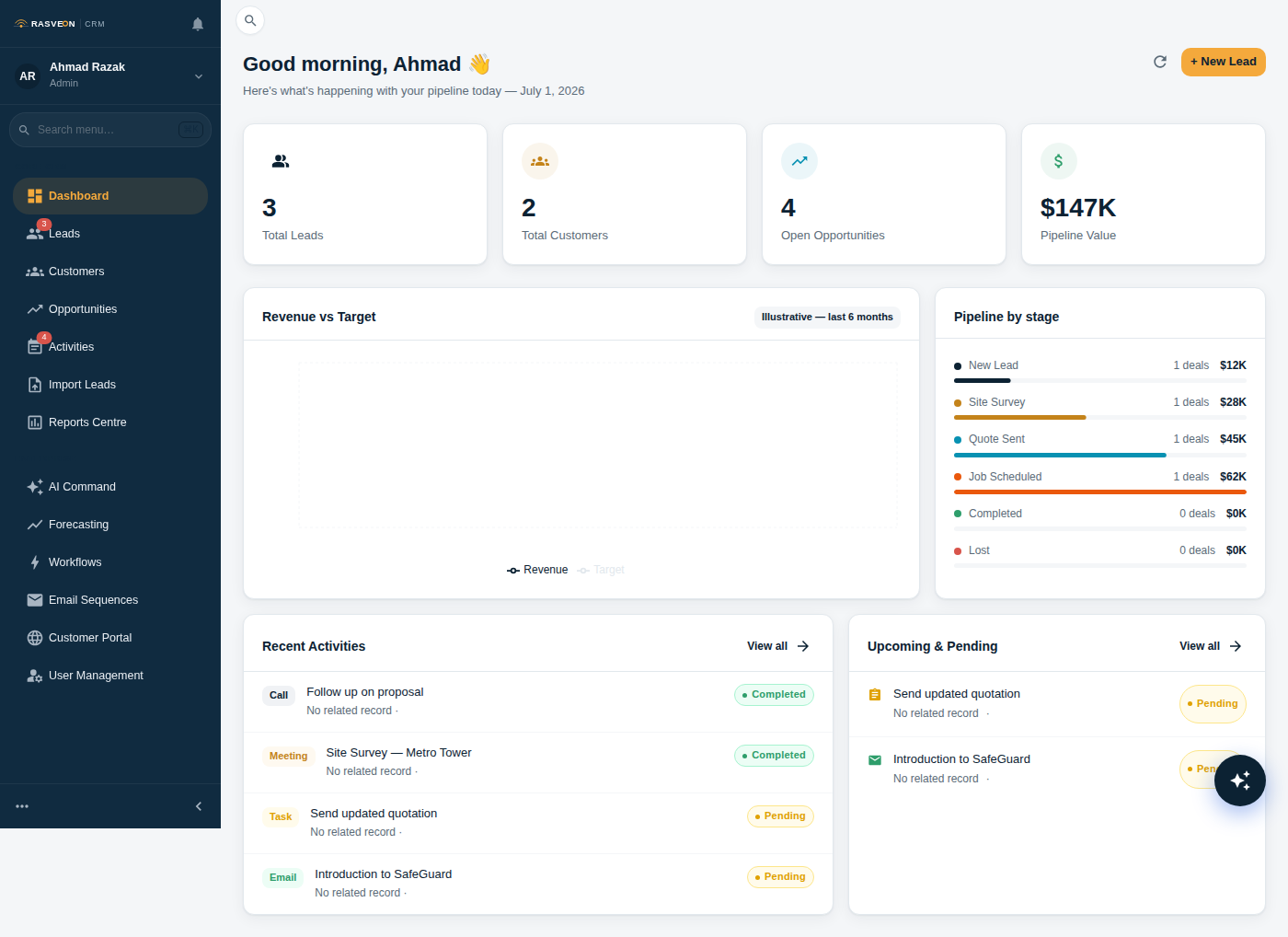
| Bahagian | Untuk apa |
|---|---|
| Papan Pemuka | Hari anda sepintas lalu — tugas tertunggak, temu janji hari ini, prospek baharu |
| Prospek | Bakal pelanggan yang belum membeli lagi |
| Pelanggan | Syarikat yang anda telah berurusan |
| Kenalan | Orang — biasanya dilampirkan kepada pelanggan |
| Peluang | Deal aktif yang bergerak melalui saluran paip anda |
| Tugas | Senarai tugasan anda — panggilan, susulan, lawatan tapak |
| Aktiviti | Log setiap panggilan, e-mel, mesyuarat dan nota |
| Laporan | Nilai saluran paip, kadar menang, prestasi wakil |
| Tetapan | Pengguna, peranan, bil, keutamaan ruang kerja |
Bagaimana perkara saling berkaitan
Berikut adalah model mental yang menjadikan seluruh produk masuk akal:
Prospek  ──tukar──▶  Pelanggan
                      │
                      ├── Kenalan (orang yang anda berurusan)
                      ├── Peluang (deal sedang berjalan)
                      ├── Aktiviti (panggilan, e-mel, mesyuarat)
                      └── Nota (apa sahaja yang anda ingin ingat)
- Prospek ialah seseorang yang mungkin membeli daripada anda. Anda melayakkan mereka, kemudian tukar.
- Pelanggan ialah syarikat (atau kadangkala individu) yang anda telah berurusan.
- Kenalan ialah manusia sebenar di pelanggan itu — pembeli, juruteknik, akauntan.
- Peluang (juga dipanggil "deal") ialah jualan tertentu sedang berjalan dengan pelanggan.
- Aktiviti dan Nota dilampirkan kepada mana-mana yang di atas.
Pembantu AI
Terdapat butang ambar terapung pada setiap halaman — itulah AI. Anda juga boleh menekan Ctrl + Space untuk membuka pusat arahan penuh.
Anda boleh bercakap dengannya dalam bahasa Inggeris biasa, Bahasa Melayu atau Cina. Beberapa perkara yang boleh dilakukannya:
- "Cipta prospek — Ahmad dari Puteri Locksmiths, ahmad@puteri.my"
- "Pindahkan deal Menara ke Sebut Harga Dihantar"
- "Apakah tugas tertunggak saya?"
- "Draf e-mel susulan untuk kerja Sunway"
Lihat Pembantu AI untuk senarai penuh perkara yang boleh dilakukannya.
Ke mana seterusnya
- Cipta prospek pertama anda → — panduan lima minit
- Saluran Paip Deal → — bagaimana peluang bergerak ke closed-won
- Peranan & Kebenaran → — siapa boleh lihat dan ubah apa